Compatible with Chrome and Edge
Instruction Guide
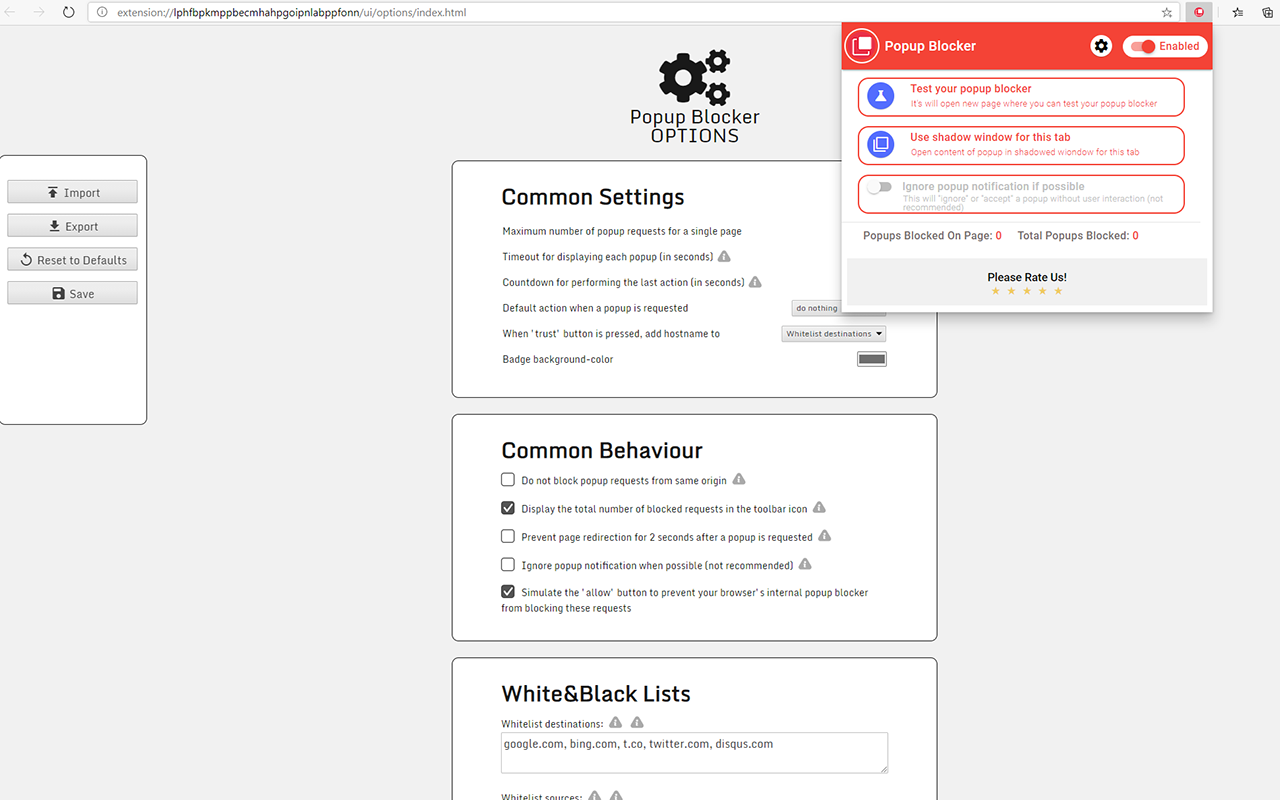
We have a simple tutorial guide which explains the features of the software extension and what each button inside the extension does. Read our tutorial and welcome guide on how to use the extension to the fullest. Use all the features of this browser software.
If you are interested in other web extensions to install, you might wish to check out the Microsoft Bing Search with Rewards extension.
Microsoft Bing Search with Rewards Extension
It allows you to complete daily offers to get points.
Track the number of points you have currently and the rewards you can redeem with these points.
The ways to get points & get rewarded is search with Bing, browse with Microsoft Edge and shop at the Microsoft and Windows stores to earn rewards.
Sponsored Link:
Other useful extensions
Another extension which would be useful to install is the iCloud bookmarks extension.
It allows to keep your Chrome bookmarks on Windows synced up with the Safari bookmarks on your iPhone, iPad, and Mac.
iCloud will store your website bookmarks so it is accessible even on your iPhone and Mac.
Try these other two extensions and see if it will boost your daily productivity.
Main Features:
- Deny popup request
- Allow popup request
- Open popup request in a background tab
- Redirect current page to popup URL source
Supported blocking methods:
- window.open
- a->target=_blank
Features:
What is a popup blocker?
Popup Blocker software is a popup blocker that prevents any sites from displaying pop-up ads, pop-under ads and other annoyances while you surf the internet. Popup blocker software is usually enabled by default in browsers such as Google Chrome, Mozilla Firefox, but some users may want to install an additional popup blocker on their computers.
Popup blocker software work in a very simple way. They try to detect popups (the “window” that pops up) as soon as they appear, and then prevent you see them or close them.
You can also consider using adblock software to prevent yourself from viewing malicious ads. Adblock Plus is a popular adblocker software for Google Chrome that removes ads from webpages, video & audio players, and other annoying places. Adguard Blocks ads from the Internet — on all devices. Adguard can remove most of the ads from video or audio files.
Popular adblocker softwares available for Chrome Browser are uBlock Origin, AdBlock Plus and Adguard. These extensions are very easy to use and hence can be installed in a jiffy. All you have to do is follow this guide given below to know how to download these adblocker softwares for your chrome browser
Tutorial:
- Install the Extension
-
After installing the extension, click on the icon
 on the toolbar.
Sponsored Link: